How NVIDIA Makes Local AI Faster, Simpler, and More Private
After studying this material, students should be able to:
- Identify the key components of local AI infrastructure (hardware, software, models)
- Explain why running AI locally matters and what problems it solves
- Describe the tools and technologies enabling local AI in 2026
- Understand how inference optimization works and why it matters
- Evaluate use cases where local AI provides advantages over cloud AI
Step-by-Step Teaching Guide
Step 1: The Core Problem — Why Local AI Matters
Before understanding the announcements, you need to understand what problem is being solved.
Traditional AI Setup (Cloud-Based)
Your Device → Internet → Cloud Server → AI Response → Back to You
Problems with this approach:
- 🔒 Privacy risk — your data leaves your device
- 💰 Cost — you pay per token/request ("token anxiety")
- 🐢 Latency — round trips take time
- 📶 Dependency — requires internet connection
The Local AI Alternative
Your Device → Local GPU → AI Response → Stays on Your Device
Benefits:
- ✅ Data never leaves your machine
- ✅ No per-use costs
- ✅ Faster response times
- ✅ Works offline
Key Concept: "Frontier intelligence is going local" means powerful AI models are now small and efficient enough to run on consumer hardware
Step 2: Understanding the Hardware Layer
Local AI requires capable hardware. Here is the hierarchy announced:
Hardware Tiers (Least → Most Powerful)
| Device | Best For |
|---|---|
| GeForce RTX PCs (24GB+ VRAM) | Enthusiasts, developers |
| RTX PRO Workstations | Professional workloads |
| NVIDIA RTX Spark | Compact, always-on agents |
| DGX Spark | High-performance local AI |
| DGX Station | Enterprise-level local AI |
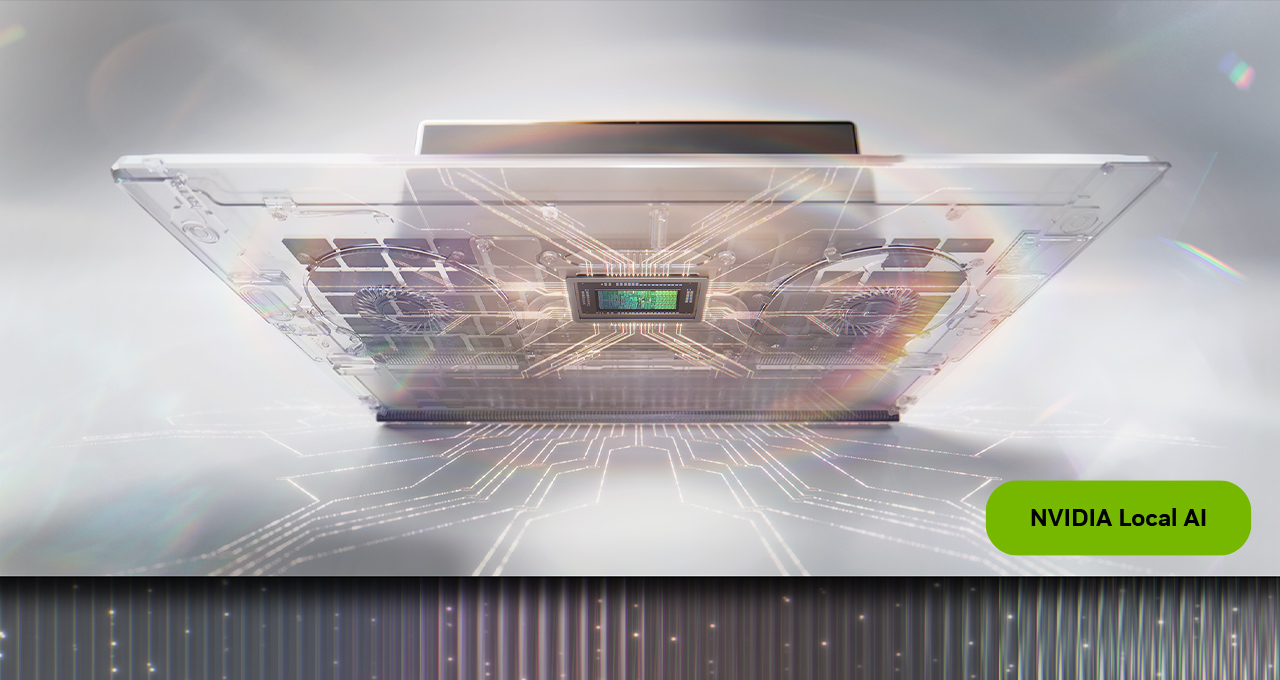
Focus: NVIDIA RTX Spark (Launching October 2026)
Think of RTX Spark as a purpose-built local AI computer:
RTX Spark Specifications:
├── GPU: RTX Blackwell (1 Petaflop performance)
├── Memory: Up to 128GB unified memory
├── CPU: 20-core Grace processor
└── Form: Thin laptops + compact desktops
Why unified memory matters:
- Traditional PCs split memory between CPU and GPU
- Unified memory means both share the same pool
- Larger models can run without being split awkwardly
- More efficient for AI workloads
Partners building RTX Spark devices:
- Lenovo (Yoga Pro 9n, Yoga 9n 2-in-1)
- Acer (compact desktop concept)
- Plus six other OEMs
Step 3: Understanding the Software Layer — Inference Engines
Hardware alone is not enough. You need software that runs AI models efficiently.
What Is Inference?
Training:   Feeding data → Model learns patterns (done once, very expensive)
Inference:  You ask question → Model generates answer (done constantly)
Local AI is almost entirely about inference — making that answer generation fast and efficient.
The Two Key Inference Engines
1. llama.cpp
- Open-source, lightweight
- Runs on consumer GPUs
- New optimization: up to 1.9x faster throughput on RTX 5090
- Improvements include:
- Kernel optimizations (low-level GPU code improvements)
- Speculative decoding (predicting multiple tokens ahead)
- Faster prefill (processing your input prompt faster)
2. vLLM
- Better for parallel/batch requests
- New gains:
- 1.2x faster on RTX PRO 6000
- Up to 1.4x faster on dual DGX Spark clusters
- Uses new XQA attention kernels
How You Access These Engines
You do not need to use these directly. User-friendly apps wrap them:
User Interface Layer:    LM Studio    |    Ollama
                              ↓               ↓
Engine Layer:         llama.cpp    |    vLLM
                              ↓               ↓
Hardware Layer:         NVIDIA GPU
Step 4: Understanding the Model Layer
The model is the actual AI brain. Different models have different strengths.
Key Concept: Parameters
Parameters = the "weights" that define what a model knows
- More parameters → generally smarter, but needs more memory
- Fewer parameters → faster, fits on smaller hardware
Models Announced (August 2026)
| Model | Parameters | Special Feature | Runs On |
|---|---|---|---|
| Nemotron 3.5 Lightning | 30B | Fast, efficient | RTX PCs, DGX Spark, Jetson |
| Meta Muse Glimmer | 30B | Coding + agents | GeForce RTX, DGX Spark/Station |
| Qwen3.8-27B | 27B | Coding + agentic | NVIDIA GPUs |
| DeepSeek v4 Flash | 284B (13B active) | MoE architecture | 2x DGX Spark, DGX Station |
Key Concept: Mixture of Experts (MoE)
DeepSeek v4 Flash has 284 billion parameters but only 13 billion are active at once. How?
Traditional Model:
All 284B parameters used → Every question

MoE Model:
284B parameters exist → Only relevant 13B "experts" activate per question
Result: Big model capability, smaller model speed/cost
Key Concept: Quantization
Models are normally stored in high precision (FP32). Quantization reduces this:
FP32 (full precision):  ████████  — Most accurate, most memory
FP16 (half precision):  ████      — Good balance
FP8:                    ██        — Fast, less memory
NVFP4:                  █         — Smallest, fastest, some quality tradeoff
NVIDIA's NVFP4 quantization is mentioned multiple times because it allows larger models to fit on devices with less VRAM.
Step 5: Understanding the Agent Layer
Models answer questions. Agents do tasks.
Model vs. Agent
Model:  "What is the capital of France?" → "Paris"

Agent:  "Plan my week" →
        ├── Reads your calendar
        ├── Checks your email
        ├── Prioritizes tasks
        ├── Creates a schedule
        └── Posts to your Slack
Agents use tools (web search, file access, code execution) and can chain multiple steps together.
Three Major Agent Apps Getting Local AI Support
1. Perplexity Portable Computer
- Originally Linux only (DGX Spark)
- Now coming to Windows RTX GPUs (24GB+ VRAM)
- Key feature: asks permission before sending anything to cloud
- Hybrid approach: run locally, escalate to cloud only when needed
Real-world example from the article:
Finance use case — analyze two years of brokerage data locally without documents ever reaching a cloud chatbot
2. Hermes Agent (by Nous Research)
- 1-click setup on Windows RTX/DGX systems
- Auto-detects GPU → selects appropriate model → configures automatically
- Designed to run all day in background
- Builds reusable skills over time (gets smarter with use)
3. OpenClaw
- Largest AI project on GitHub (380K+ stars)
- Community-built tools for research, engineering, productivity
- New Windows App simplifies setup on RTX GPUs (24GB+ VRAM)
Step 6: Understanding NVIDIA PAIR — Distributed Local AI
This is one of the most innovative concepts in the article.
The Problem PAIR Solves
Scenario: You have 3 PCs at home
PC 1 (Main): Running a game — GPU busy
PC 2 (Office): Sitting idle
PC 3 (Laptop): Sitting idle

Without PAIR: Agent waits for PC 1's GPU
With PAIR:    Agent uses PC 2 and PC 3 automatically
How PAIR Works
Agent Request
     ↓
NVIDIA PAIR (Router)
     ↓
Discovers all compatible PCs on local network
     ↓
Routes tasks to available GPUs
     ↓
Results return to main device
Analogy: Think of PAIR like a traffic controller for AI tasks across your home network.
Technical Details
- Free and open source
- Works with: Ollama, LM Studio
- Supports: RTX 20 Series and newer, RTX PRO, DGX Spark, Apple M4+
- Available on: Windows, macOS, Linux
Why This Matters for Agents
Agents break complex tasks into parallel subtasks:
"Sunday Reset" task example:
├── Subtask 1: Sort urgent emails → PC 2
├── Subtask 2: Identify low-priority items → PC 3
└── Subtask 3: Flag items to skip → PC 1 (when available)

All run simultaneously instead of sequentially
Step 7: Creative AI — PhotoDirector Example
Local AI is not just for text. Image and video generation is also going local.
CyberLink PhotoDirector AI PC Mode
Demonstrates local AI in creative software:
| Feature | Powered By |
|---|---|
| Generative editing | Local diffusion models |
| Object removal | On-device AI |
| Background replacement | On-device AI |
| Portrait refinement | On-device AI |
Technology used: TensorRT-RTX + FP8 quantization on NVIDIA GPUs
Key benefit for artists:
- No "token anxiety" (not paying per generation)
- Creative work stays private
- Faster iteration on ideas
Step 8: Video Generation Models
Two notable video models mentioned:
LTX 2.5
- Open-world video generation
- Optimized for RTX GPUs, DGX Spark, DGX Station
- Enhanced with NVFP4, FastVideo, ComfyUI
MiniMax-H3 + FastH3
- Video with synchronized audio (rare capability)
- FastH3 = distilled version that is 7x faster
- "Distillation" means training a smaller model to mimic a larger one
Original H3 model: 100% quality, 1x speed
FastH3 (4-step distilled): ~similar quality, 7x speed
Step 9: Putting It All Together — The Local AI Stack
Now you can see how everything connects:
┌─────────────────────────────────────────┐
│           USER EXPERIENCE               │
│  Hermes Agent | OpenClaw | Perplexity   │
├─────────────────────────────────────────┤
│           DISTRIBUTION LAYER            │
│         NVIDIA PAIR (Router)            │
├─────────────────────────────────────────┤
│           APPLICATION LAYER             │
│      LM Studio | Ollama | ComfyUI       │
├─────────────────────────────────────────┤
│           INFERENCE LAYER               │
│         llama.cpp | vLLM                │
├─────────────────────────────────────────┤
│              MODEL LAYER                │
│  Nemotron | Qwen | DeepSeek | Muse...   │
├─────────────────────────────────────────┤
│            HARDWARE LAYER               │
│  RTX Spark | DGX Spark | RTX PCs...     │
└─────────────────────────────────────────┘
Summary: Key Takeaways
| Concept | What to Remember |
|---|---|
| Local AI | AI running on your device, not cloud servers |
| Inference | The process of generating AI responses |
| Parameters | Size measure of AI models (more = smarter but heavier) |
| MoE | Only activates relevant model portions per task |
| Quantization | Compressing models to use less memory (FP32→FP8→NVFP4) |
| Agents | AI that takes multi-step actions using tools |
| PAIR | Routes AI tasks across multiple home PCs |
| RTX Spark | NVIDIA's purpose-built local AI hardware platform |
| llama.cpp/vLLM | Software engines that run models on local GPUs |
| 1.9x speedup | Result of kernel optimization + speculative decoding |
Self-Check Questions
- What is the difference between a model and an agent?
- Why does unified memory matter for running large AI models?
- How does MoE allow a 284B parameter model to run efficiently?
- What problem does NVIDIA PAIR solve, and how?
- Why would a user choose local AI over cloud AI for financial document analysis?
- What is quantization and what tradeoff does it involve?
- How does speculative decoding improve inference speed?