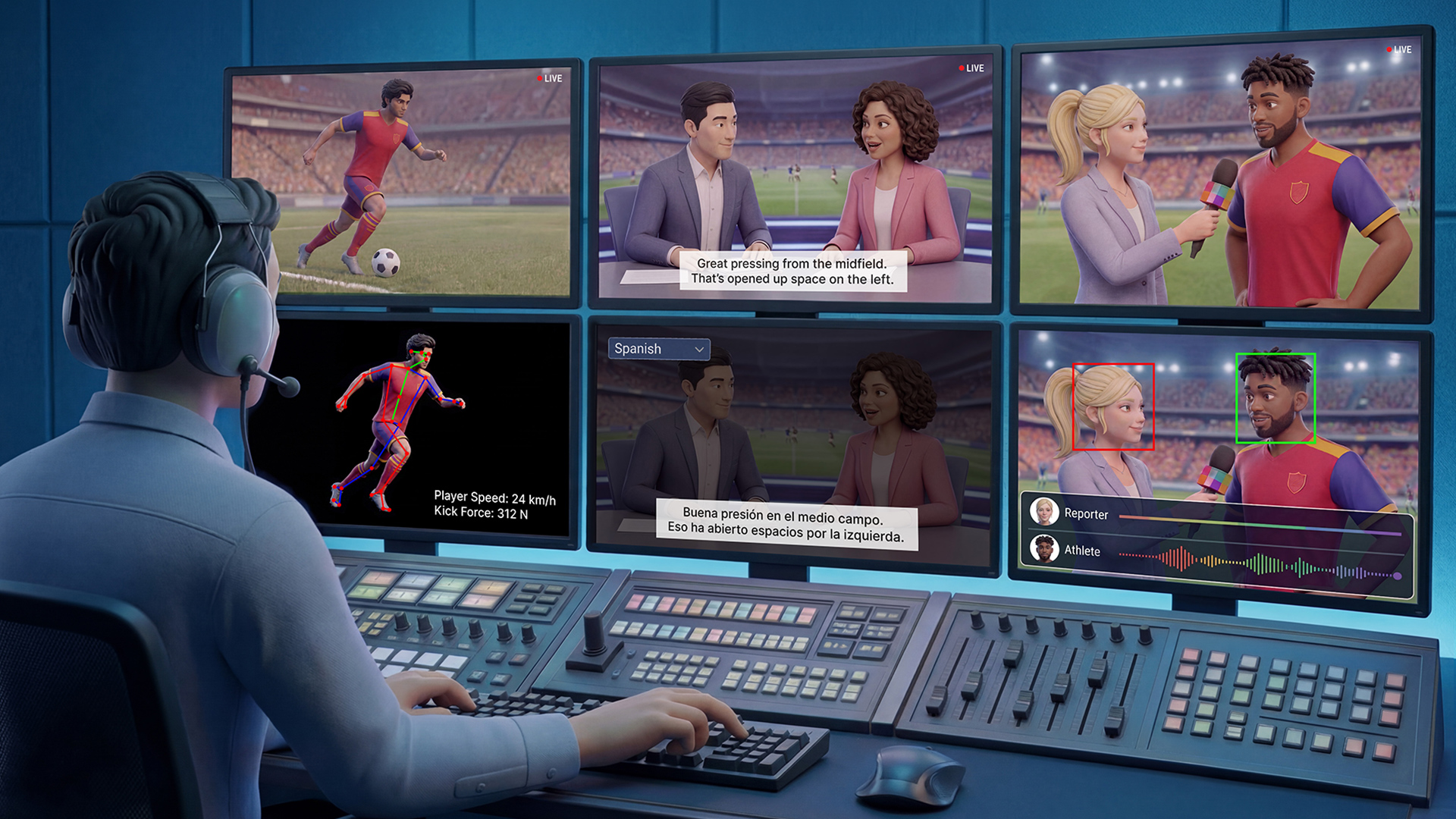
Step-by-Step Study Guide
STEP 1: Understand the Big Picture — Why AI in Media?
The Core Problem
Traditional broadcasting faces several challenges:
- Content must reach global audiences in multiple languages
- Sports require real-time analysis and enhanced replay
- Fake or AI-generated video threatens content authenticity
- High-quality video demands significant infrastructure
The Solution Framework
NVIDIA introduced NVIDIA AI for Media — a collection of tools including:
| Tool Type | Purpose |
|---|---|
| SDKs (Software Development Kits) | GPU-accelerated software building blocks |
| NIM Microservices | Modular AI services developers plug into workflows |
| Blueprints & Playbooks | Structured guides for building AI applications |
💡 Key Concept: Think of these tools like LEGO bricks — each solves one problem, but they connect together to build complete solutions.
STEP 2: Learn the Core AI Technologies One by One
🔍 Technology 1: Synthetic Video Detector (SVD)
Problem it solves: How do you know if video footage is real or AI-generated?
How it works:
- Analyzes video and assigns a probability score of authenticity
- Works at the frame level, detecting signs of AI generation
Performance:
- 99.3% accuracy for text-to-video content
- 97.7% accuracy for image-to-video content
Real-world applications:
News Organizations (Dalet) → Submit footage → Get authenticity scores → Review in editorial interface
Compliance Teams (TwelveLabs) → Screen content → Check regional standards + authenticity simultaneously
Live Streaming (Wowza) → Analyze live feeds → Detect AI-generated content in real time
💡 Why it matters: In an era of deepfakes, editorial teams need tools to verify what they broadcast.
🏃 Technology 2: 3D Body Pose Estimation
Problem it solves: How do you track human movement without expensive motion-capture suits?
How it works:
- Uses a single camera (no markers or special equipment)
- Estimates 2D and 3D joint locations and angles from video
Two major use cases:
| Use Case | Application |
|---|---|
| Sports | Player tracking, biomechanics, safety monitoring, officiating |
| Content Creation | Animation blocking, digital doubles, character retargeting |
Real-world example:
Vizrt uses Body Pose in live virtual studios — tracked body movement drives real-time 3D lighting effects like reflections and shadows.
💡 Key Concept: Structured motion data = turning human movement into numbers a computer can use.
🎬 Technology 3: Video Frame Generation (VFG)
Problem it solves: How do you make sports replays smoother without ultra-high-speed cameras?
How it works:
- Uses generative AI to create new frames between existing frames
- Can increase frame rates by 2x or 4x
- Preserves visual quality and temporal consistency
Practical example:
Original footage: 30 frames per second
After 2x VFG:    60 frames per second (smoother motion)
After 4x VFG:   120 frames per second (slow-motion quality)
Real-world application:
Ross Video integrates VFG into its Rio Replay platform, enabling 6x slow-motion sports replays — working toward 8x interpolation.
💡 Key Concept: VFG generates frames that were never actually captured — AI fills in the gaps.
📺 Technology 4: Video Super Resolution (VSR)
Problem it solves: How do you improve low-quality or compressed video?
How it works:
- AI upscales video while reducing:
- Noise
- Blur
- Compression artifacts
- Offers two modes: real-time performance OR higher image quality
- Supports 10-bit video for richer color depth
Where it's used:
- Video players
- Conferencing applications
- Streaming services
- Broadcast systems
💡 Key Concept: VSR makes old or compressed content look better without re-shooting it.
💡 Technology 5: TrueHDR
Problem it solves: How do you display standard video on modern HDR screens?
How it works:
- Converts SDR (Standard Dynamic Range) → HDR (High Dynamic Range) in real time
- Reaches up to approximately 2,000 nits of brightness
- Preserves local contrast and adapts to content
Combined pipeline:
VSR (upscale + clean) → VFG (smooth frames) → TrueHDR (enhance brightness/contrast)
= Enhanced content library ready for modern streaming
🗣️ Technology 6: LipSync + Active Speaker Detection
Problem it solves: How do you dub content into other languages while keeping it natural-looking?
LipSync:
- Transforms mouth movement to match a new audio track
- Preserves natural head pose, blinking, and body movement
- Improved handling of partially obscured faces
Active Speaker Detection:
- Identifies who is speaking in multi-person scenes
- No longer requires speaker diarization for multiple audio tracks
- Adds voice activity detection
Real-world application:
NDI uses LipSync to enable real-time translation and lip-synced dubbing within existing broadcast workflows — one media stream, multiple language outputs.
🎙️ Technology 7: Studio Voice
Problem it solves: How do you improve audio quality for live streaming and podcasting?
How it works:
- Suppresses background noise
- Reduces room reverberation
- Improves speech clarity
- New Microphone Profiles shape the enhanced audio to sound like specific microphone types
💡 Key Concept: Studio Voice makes any microphone sound more professional through AI processing.
STEP 3: Understand the Infrastructure Layer — Holoscan for Media
What is Holoscan for Media?
An open reference architecture and developer toolkit for building AI-powered media applications in software-defined live production.
What is Media Exchange Layer (MXL)?
An open standard that allows different software-based media functions to share live video, audio, and data across a distributed environment.
Why does this matter?
Traditional approach:
Application A ←→ Custom Integration ←→ Application B
Application B ←→ Custom Integration ←→ Application C
(Every connection requires separate custom work)
With Holoscan + MXL:
Application A ↘
Application B → [Shared MXL Layer] → All applications communicate
Application C ↗
(One common exchange layer connects everything)
Benefits:
- Media companies use infrastructure more efficiently
- New capabilities can be introduced faster
- Less custom integration work required
- AI, video, and traditional media functions run on same infrastructure
STEP 4: Understand Sports Intelligence Playbooks
The Core Concept
Sports organizations have unique, proprietary data (footage, player stats, annotations) that competitors cannot replicate. Playbooks help convert this data into specialized AI models.
The AI Lifecycle Covered:
Data Preparation → Fine-Tuning → Inference → Evaluation → Optimization → Deployment
Performance Results (Fine-Tuned vs. General Model):
| Evaluation Type | General Model | Fine-Tuned Model |
|---|---|---|
| Multiple-choice accuracy | ~53% | ~94% |
| Open-ended evaluation | ~5.7% | ~66% |
💡 Key Insight: A model trained specifically on sports data dramatically outperforms a general-purpose model on sports tasks.
Business Value:
- Proprietary sports AI → new analytics products
- Better fan experiences
- Automation tools
- New revenue streams
STEP 5: Understand Content Localization as a Complete Workflow
The Challenge
Reaching global audiences requires more than translation:
Words → Language nuances → Voice timing → Facial movement → Captions → Onscreen graphics
(All must work together in REAL TIME)
The Solution: Content Localization with Holoscan for Media
A unified, software-defined workflow combining:
| Component | Function |
|---|---|
| LipSync | Match mouth movement to dubbed audio |
| Active Speaker Detection | Identify who is speaking |
| Translated Audio | Convert speech to target language |
| Localized Graphics | Adapt onscreen text and visuals |
| Captions | Multilingual subtitle generation |
Partner Ecosystem:
- AI-Media → Multilingual captions
- CAMB.AI → Voice adaptation
- Chyron → Graphics localization
- Panjaya → Expression preservation across languages
Deployment Flexibility:
Live Broadcast → Holoscan for Media reference workflow
On-Demand Content → API-based workflow
Post-Production → File-based workflow
STEP 6: Connect Everything — The Complete Picture
                    NVIDIA AI FOR MEDIA ECOSYSTEM

    CONTENT AUTHENTICITY          CONTENT ENHANCEMENT
    ┌─────────────────┐          ┌──────────────────────┐
    │ Synthetic Video │          │ Video Super Resolution│
    │ Detector (SVD)  │          │ Video Frame Generation│
    └─────────────────┘          │ TrueHDR              │
                                 └──────────────────────┘

    MOTION UNDERSTANDING          AUDIO & VOICE
    ┌─────────────────┐          ┌──────────────────────┐
    │ 3D Body Pose    │          │ LipSync              │
    │ Estimation      │          │ Active Speaker Detect │
    └─────────────────┘          │ Studio Voice         │
                                 └──────────────────────┘

                    ↓ All connected through ↓

              HOLOSCAN FOR MEDIA + MXL
              (Shared infrastructure layer)

                    ↓ Specialized for ↓

         SPORTS INTELLIGENCE PLAYBOOKS
         (Domain-specific fine-tuned models)

                    ↓ Delivered globally through ↓

              CONTENT LOCALIZATION WORKFLOW
              (Multilingual, real-time broadcast)
Quick Review: Key Terms Glossary
| Term | Simple Definition |
|---|---|
| NIM Microservice | A modular, plug-in AI service |
| SDK | Software toolkit for developers to build applications |
| SDR → HDR | Converting standard to high-dynamic-range video |
| Frame Interpolation | Generating new frames between existing ones |
| Fine-Tuning | Training a general AI model on specific domain data |
| Speaker Diarization | Identifying who spoke when in audio |
| Software-Defined Production | Using software instead of dedicated hardware for broadcast |
| MXL | Open standard for media applications to share data |
Self-Check Questions
- What problem does SVD solve, and what accuracy levels has it achieved?
- How does 3D Body Pose estimation differ from traditional motion capture?
- Explain the difference between VFG and VSR — what does each improve?
- Why would a sports organization benefit from fine-tuning their own AI model rather than using a general-purpose one?
- What role does Holoscan for Media play in connecting all these technologies?
- List three components required for a complete content localization workflow.