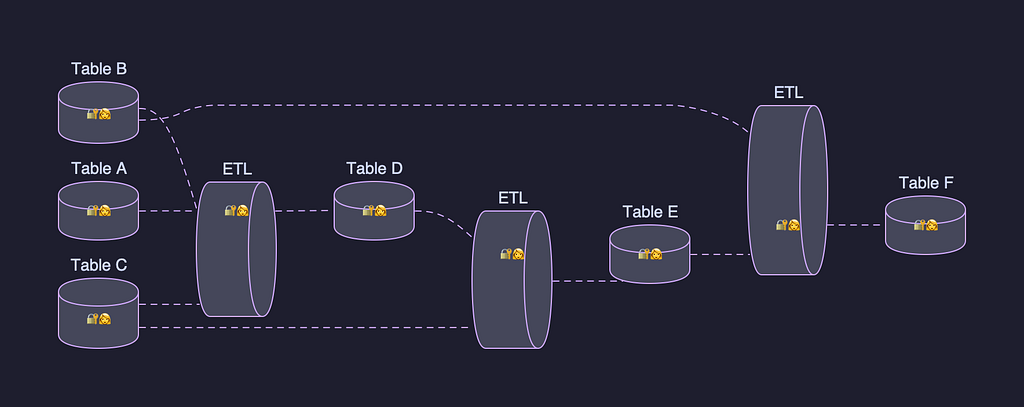
After studying this material, you should be able to:
- Explain why individual-asset and individual-human identity models fail at scale
- Describe what a Data Project is and its core components
- Understand how Data Projects solve access management and workflow identity problems
- Apply the concept of "gravity" and explain its organizational benefits
- Evaluate how this abstraction could extend beyond data assets
Step-by-Step Teaching
Step 1: Understanding the Problem Space
1A — The Scale Challenge
Before solutions make sense, you must feel the pain they solve.
Netflix operates at enormous scale:
- Millions of tables in their data warehouse
- Tens of thousands of scheduled workloads running daily
At this scale, small inefficiencies become catastrophic failures.
1B — Problem #1: Access Control Lists (ACLs) Don't Scale
What is an ACL?
An Access Control List is simply a list attached to a resource that says who can access it and what they can do.
Table: user_viewing_history
ACL:
  - alice@netflix.com → READ
  - bob@netflix.com  → READ/WRITE
  - carol@netflix.com → READ
Why this breaks at scale:
| Scenario | What happens |
|---|---|
| Team restructures | Must update ACLs on hundreds/thousands of tables individually |
| Engineer changes teams | Their access may be wrong across all assets they touched |
| Engineer leaves | Orphaned permissions or broken access |
The math is brutal:
500 tables × 1 reorg = 500 manual ACL updates
500 tables × 10 reorgs/year = 5,000 updates
Multiply across all teams → tens of thousands of changes
This creates two failure modes:
- Over-permissioning (people retain access they shouldn't have)
- Under-permissioning (people lose access they need, breaking workflows)
1C — Problem #2: Human Identity Is Fragile for Workloads
What is a scheduled workload?
A scheduled workload is an automated job that runs on a timer without a human present. Examples:
- ETL pipelines (Extract, Transform, Load)
- Spark data processing jobs
- ML model training jobs
The identity problem:
Historically, these workloads ran as the person who wrote them:
Maestro Workflow: "daily_revenue_report"
Running as: alice@netflix.com
Permissions: Whatever Alice currently has
What happens when Alice changes teams?
Day 1:  Alice writes workflow → runs fine ✅
Day 90: Alice moves to new team → loses old permissions
Day 91: Workflow fails ❌ (can't access old tables)
Fix:    Swap to bob@netflix.com
Day 92: Workflow fails ❌ (Bob lacks different permissions)
Fix:    Grant Bob permission A...
Day 93: Workflow fails ❌ (Bob lacks permission B)
...
This is called "permissions whack-a-mole" — fixing one problem reveals the next.
Key insight: Human identities are not durable. People change, but automated systems need stability.
Step 2: The Solution — Data Projects
2A — Core Concept: Raising the Level of Abstraction
The fundamental idea is simple but powerful:
BEFORE: Manage permissions on each individual asset
        Table1 → ACL
        Table2 → ACL
        Table3 → ACL
        ... (500 more)

AFTER:  Manage permissions on ONE project containing all assets
        Project → ACL → [Table1, Table2, Table3, ...500 more]
Think of it like this analogy:
Old way: Giving someone a key to each room in a building individually New way: Giving someone a keycard that works for the entire floor they're authorized for
2B — What a Data Project Actually Is
A Data Project has two core components:
Component 1: Unified Access Management
Data Project: "Revenue Analytics"
│
├── Grants (who can access)
│   ├── alice@netflix.com     → Contributor (read/write)
│   ├── analytics-team-group  → Viewer (read-only)
│   ├── ci-pipeline-job       → Contributor
│   └── external-app          → Viewer
│
└── Contained Assets
    ├── table: daily_revenue
    ├── table: user_transactions
    ├── workflow: revenue_etl
    └── ... (hundreds more)
Role types:
| Role | Permissions |
|---|---|
| Contributor | Read + Write access to project assets |
| Viewer | Read-only access to project assets |
| (Privileged roles) | Can assume project identity |
The key benefit: When someone joins or leaves the team, you make one change to the project grant — not hundreds of individual ACL changes.
Component 2: Durable Project Identity
Every Data Project gets its own application identity (not tied to any human):
Data Project: "Revenue Analytics"
Identity: app-revenue-analytics@netflix.com  ← Never leaves, never changes teams
AWS IAM Role: arn:aws:iam::123456789:role/revenue-analytics
Workflows now run as the project, not as a person:
BEFORE: Maestro runs "daily_revenue_report" as alice@netflix.com
AFTER:  Maestro runs "daily_revenue_report" as app-revenue-analytics@netflix.com
Why this is durable:
| Event | Old Model | New Model |
|---|---|---|
| Alice changes teams | ❌ Workflow breaks | ✅ No impact |
| Alice goes on vacation | ❌ Potential issues | ✅ No impact |
| Alice leaves Netflix | ❌ Workflow breaks | ✅ No impact |
| Team restructures | ❌ Permissions scramble | ✅ Update one project |
Step 3: Key Feature — Gravity
3A — What is Gravity?
Gravity is an automatic organizational behavior:
When a workload running under a project's identity creates new assets, those assets are automatically added to the project.
Example:
Project: "Revenue Analytics"
Identity: app-revenue-analytics

Workflow runs and creates:
  → new_table_A  (automatically added to project ✅)
  → new_table_B  (automatically added to project ✅)
  → new_report_C (automatically added to project ✅)
3B — Why Gravity Matters
Without gravity:
Engineer creates workflow → workflow creates 50 tables over 6 months
→ Tables scattered with no clear ownership
→ New team member asks: "Where are all our tables?"
→ Nobody knows → tribal knowledge required
→ Access requests go to wrong people
With gravity:
Engineer creates workflow under project identity
→ All 50 tables automatically belong to the project
→ New team member checks project → sees all assets immediately
→ Access is managed through the project
→ Organization is a free side effect of normal work
Mental model: The project acts like a gravitational center — everything created in its orbit naturally falls into it.
Step 4: How Maestro Integrates (Trusted Workload Manager)
4A — The Technical Flow
Maestro is Netflix's workflow orchestration system. It's designated a Trusted Workload Manager (TWM), meaning it's formally authorized to:
1. Receive a workflow execution request
2. Validate: Does the caller have access to this Data Project?
3. Mint (create) a fresh identity token for the project
4. Execute the workflow under that project identity
5. All downstream checks (table ACLs, AWS IAM, etc.) use project identity
4B — Before vs. After Comparison
Before Data Projects:
User: alice@netflix.com
      ↓
Maestro (OBO alice) → runs workflow
      ↓
Checks: Table ACL (needs alice's permissions)
        AWS IAM (needs alice's permissions)
        Netflix resources (needs alice's permissions)

Problem: All checks depend on alice's current state
After Data Projects:
User: alice@netflix.com (validates she has project access)
      ↓
Maestro → mints token for app-revenue-analytics
      ↓
Checks: Table ACL (uses stable project identity)
        AWS IAM (uses stable project IAM role)
        Netflix resources (uses stable project identity)

Result: All checks use stable, durable identity
Step 5: Practical Benefits Summary
5A — Downstream Improvements
| Problem | Solution |
|---|---|
| Workflow breaks when author leaves | Project identity never leaves |
| Permissions whack-a-mole | Project has pre-defined, stable permissions |
| Hard to audit who ran what | All runs under named project identity |
| Reorgs break access | Update project grants, not individual ACLs |
| New assets get lost | Gravity automatically organizes them |
5B — Developer Experience Bonus
Team members with privileged roles can assume the project identity themselves:
# Developer on laptop can run commands AS the project
assume-identity app-revenue-analytics

# Now test exactly as the scheduled workflow would run
run-query "SELECT * FROM daily_revenue"
# Uses project permissions, not your personal permissions
This eliminates the classic problem: "It works on my machine but fails in production" — because your machine is now using the same identity as production.
Step 6: The Bigger Picture — Beyond Data
6A — Generalizing the Concept
The article hints at a broader vision:
TODAY:  Data Projects
        └── Data assets (tables, workflows, pipelines)

FUTURE: Projects (general concept)
        ├── Data assets (tables, workflows)
        ├── Software assets (GitHub repos, Docker images, deployments)
        └── Studio assets (content pipelines, production data)
6B — The Core Principle
The unit of identity and access management cannot be the individual asset or the individual human at scale. It must be something larger, durable, and aligned with how teams think about their work.
This is a universal engineering principle, not just a Netflix-specific solution.
Concept Check — Test Your Understanding
Question 1: Why does running workflows under a human identity fail at scale?
✅ Because human identities are not durable — people change teams, go on vacation, and leave companies, causing workflows to break and requiring repeated permission fixes.
Question 2: What two problems does a Data Project solve?
✅ (1) Granular ACL management that doesn't scale, and (2) fragile human-tied workflow identities.
Question 3: Explain gravity in your own words.
✅ When a workflow runs under a project's identity and creates new assets, those assets automatically become part of the project — organization happens as a natural side effect of work.
Question 4: Why is a project identity more durable than a human identity?
✅ A project identity is an application identity — it doesn't change teams, take vacations, or leave the company. It remains stable regardless of organizational changes.
Question 5: What is the key abstraction shift Data Projects introduce?
✅ Moving from managing permissions at the individual asset level to managing them at the project level — one change affects all contained assets simultaneously.
Summary
PROBLEM                          SOLUTION
─────────────────────────────────────────────────────
500 tables × individual ACLs  → 1 project with 500 tables
Human identity (fragile)       → Project identity (durable)
Assets scattered after creation → Gravity auto-organizes them
Reorgs break everything        → Update one project grant
Permissions whack-a-mole       → Stable, pre-defined project permissions
The core insight: match your management granularity to how teams actually think about their work — not to the technical artifacts they produce.