Step-by-Step Study Material
Step 1: Understand the Problem Being Solved
What is CDN Metadata Lookup?
When a user requests a URL like /blog/hello-world, the CDN cannot simply serve content blindly. It must first answer two questions:
- Does this path exist?
- How should it be served? (static file, function, cached response, etc.)
To answer these questions, the CDN reads routing metadata — a record describing each path and its serving instructions.
Why Was This Slow?
The original system stored metadata as one separate object per path.
/blog/hello-world     → [metadata object A]
/blog/hello-world.rsc → [metadata object B]
/about                → [metadata object C]
... (potentially hundreds of thousands more)
The core problem: Every new deployment created entirely new cache keys. So after each deployment, the first request to every path was a cache miss — the CDN had to fetch fresh metadata before it could respond.
For large sites with frequent deployments, this meant:
- Hundreds of thousands of individual cache entries to warm
- Recurring latency spikes after every deployment
- Each lookup required its own network round trip
Key concept: A cache miss occurs when requested data is not found in the cache, forcing a slower fetch from the origin source.
Step 2: Understand the Solution — Metadata Sharding
What is a Shard?
A shard is a grouped file containing metadata for many paths bundled together.
SHARD FILE (≈200 KB)
├── /blog/article-1    → metadata
├── /blog/article-2    → metadata
├── /blog/article-3    → metadata
├── /blog/hello-world  → metadata
└── ... (many more paths)
Why Does Grouping Help?
When the CDN fetches one shard, it warms the cache for all paths inside it simultaneously.
| Approach | One fetch warms... |
|---|---|
| Per-path (old) | 1 path |
| Shard (new) | Hundreds of paths |
So after a deployment, the first request to /blog/article-1 fetches the shard — and now /blog/article-2, /blog/article-3, and all other paths in that shard are already cached for subsequent requests.
The Critical Design Challenge
Fetching more data per request sounds wasteful. The key insight is:
Fetch more, but parse only what you need.
This is solved with an inline index inside each shard.
Step 3: Understand the Data Structure — Indexed JSONL Shards
What is JSONL?
JSONL (JSON Lines) stores one JSON value per line:
"/blog/hello-world"
{"type": "function", "cache": "no-store"}
"/blog/article-1"
{"type": "static", "cache": "max-age=3600"}
Paths and their metadata alternate line by line, sorted alphabetically.
The Inline Index
At the top of each shard, an index records the byte position where each entry begins:
INDEX: [0, 47, 94, 141, ...]
       ↑    ↑    ↑
       pos  pos  pos of each entry
These positions are stored as fixed-width Base64 pointers — a compact format that can be decoded individually without parsing the entire index.
Binary Search Lookup
To find a specific path:
- Binary search the index pointers — O(log n) comparisons
- Jump directly to the matching byte position
- Parse only that one entry — the rest of the shard stays untouched
Request: /blog/hello-world

Index search: check middle → too high → check lower half → found at position 47
Jump to byte 47 → parse only that line
Result: {"type": "function", "cache": "no-store"}
This means a 200 KB shard fetch does not require parsing 200 KB of data per lookup — only a few bytes.
Step 4: Understand the Bloom Filter Pre-Check
Before any shard lookup, the CDN uses a Bloom filter as a fast pre-screening step.
What is a Bloom Filter?
A Bloom filter is a probabilistic data structure that can answer:
- "Definitely does not exist" → skip the lookup entirely
- "Might exist" → proceed with the shard lookup
Request path → Bloom Filter check
                    ↓
         "Definitely not here" → Return 404 immediately (no shard fetch)
         "Might exist"         → Fetch shard → Binary search → Serve response
This eliminates shard fetches for paths that don't exist, saving significant work for invalid URLs.
Step 5: Understand the Shard Size Tradeoff
Two Levels of Cache
The CDN uses two cache layers:
| Cache Layer | Scope | Speed |
|---|---|---|
| LRU (in-memory) | Per routing process | Very fast |
| Regional cache | Shared across all processes in a region | Fast |
The Tradeoff Curve
Shard too LARGE:
  ✓ Fewer shards → higher regional cache hit rate
  ✗ LRU misses are expensive (transferring megabytes per miss)
  ✗ Many processes share few shards → LRU evicts them quickly

Shard too SMALL:
  ✓ LRU misses are cheap to fill
  ✗ More shards needed → lower regional cache hit rate
  ✗ More cache entries to manage

SWEET SPOT (~200 KB):
  ✓ Regional cache hit rate stays high
  ✓ LRU misses are cheap enough to absorb
Why Not Compress Further?
Three compression approaches were tested:
- Front-coding (store only differences between sorted paths)
- Metadata deduplication (split into documents that share repeated values)
- Custom serialization (compact binary format)
All produced smaller shards but only modest latency gains. The engineering cost of added complexity, compatibility work, and rollout risk outweighed the benefit. This is an important real-world lesson:
Optimization has diminishing returns. Know when to stop.
Step 6: Understand the Safe Rollout Strategy
Changing routing logic on a system handling 80 million instructions per second requires extreme care. A bug could cause wrong status codes, stale routes, or false 404 errors.
Three-Phase Validation
Phase 1 — Offline testing:
- Built test deployments
- Ran every path through both old and new systems
- Compared results programmatically
Phase 2 — Shadow mode (production):
- New system ran on a random sample of real requests
- Old system still served the actual response
- New result was compared to old result in the background
- No impact on production latency
- Monitored for mismatches over several weeks
Phase 3 — Gradual production rollout:
- Only after shadow mode showed consistent agreement did the new system begin serving real traffic
What Shadow Mode Found
One genuine bug in the old system was discovered: paths containing emoji were incorrectly encoded using RFC 2047 encoded words, which could split an emoji character across two words. The new system stores paths as plain UTF-8, making this class of bug impossible.
Key lesson: Shadow mode doesn't just validate the new system — it can reveal bugs in the old one.
Step 7: Understand the Build Pipeline Improvements
Once shards replaced per-path metadata objects, the build pipeline could remove redundant work:
| Removed step | Time saved |
|---|---|
| Per-path metadata upload | ~9.7 seconds |
| Route group metadata in manifest | ~4.5 seconds |
| Uploading now-empty files | ~2.4 seconds |
| Total | ~16.6 seconds |
This made the deploy step approximately 10% faster overall, and up to 25% faster for metadata-heavy deployments.
Step 8: Synthesize the Results
| Metric | Before | After | Improvement |
|---|---|---|---|
| P99 metadata lookup latency | 203 ms | 31 ms | −85% |
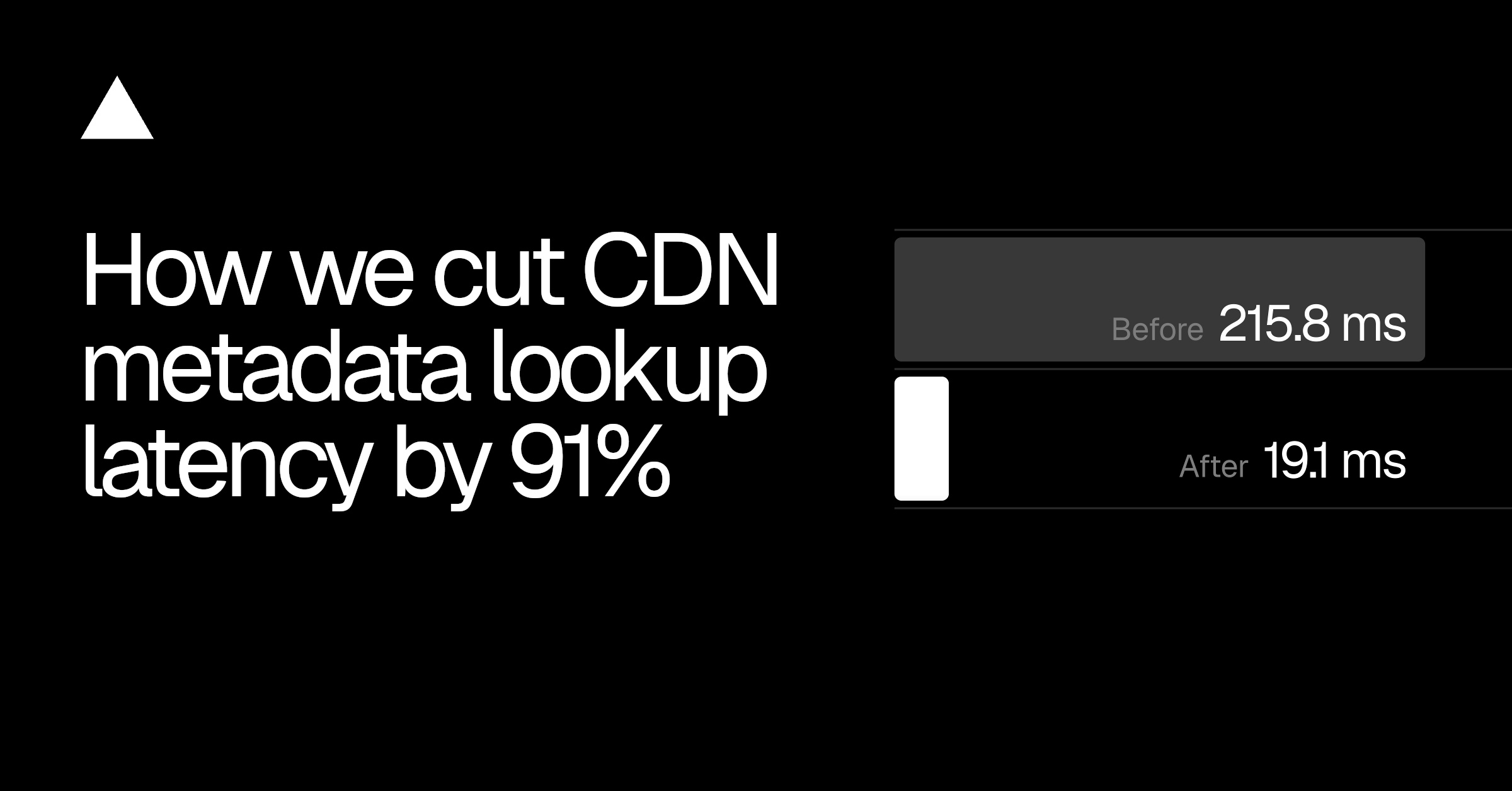
| P99 path-metadata (production window) | 215.8 ms | 19.1 ms | −91% |
| Median lookup latency | ~0.7 ms | ~0.7 ms | Unchanged |
| Deploy step speed | baseline | −10–25% | Faster |
The median was already fast — the problem was the tail latency (P99), which represents the worst-case experience for users. Sharding specifically targeted cache misses, which are the cause of tail latency spikes.
Concept Summary
PROBLEM
  Large deployments → hundreds of thousands of paths
  Each deployment → all cache entries invalidated
  Cache miss per path → slow tail latency

SOLUTION: METADATA SHARDING
  Group paths into bounded shard files (~200 KB)
  One fetch → many paths cached simultaneously
  Inline index → binary search without full parse
  Bloom filter → skip fetches for nonexistent paths

KEY TRADEOFFS
  Shard size: balance LRU miss cost vs. regional hit rate
  Compression: diminishing returns made it not worth it
  Safety: shadow mode validates before serving real traffic

RESULTS
  91% reduction in P99 metadata lookup latency
  10–25% faster deployments
  No change to application-facing Build Output API