Step-by-Step Study Material
Step 1: Understanding the Core Problem
What problem needed solving?
Before any solution existed, engineers faced three fundamental challenges:
| Challenge | Why It Matters |
|---|---|
| File Access | Agent needs your files to do useful work |
| Control | Agent must not change things without permission |
| Recovery | Mistakes must be reversible |
Think of it this way: Hiring a contractor to renovate your home. They need access to your house, but you want to control which rooms they enter, and you want the ability to undo bad decisions.
Step 2: The Two Experiments That Started Everything
Experiment A — Daniel's Sandbox Approach
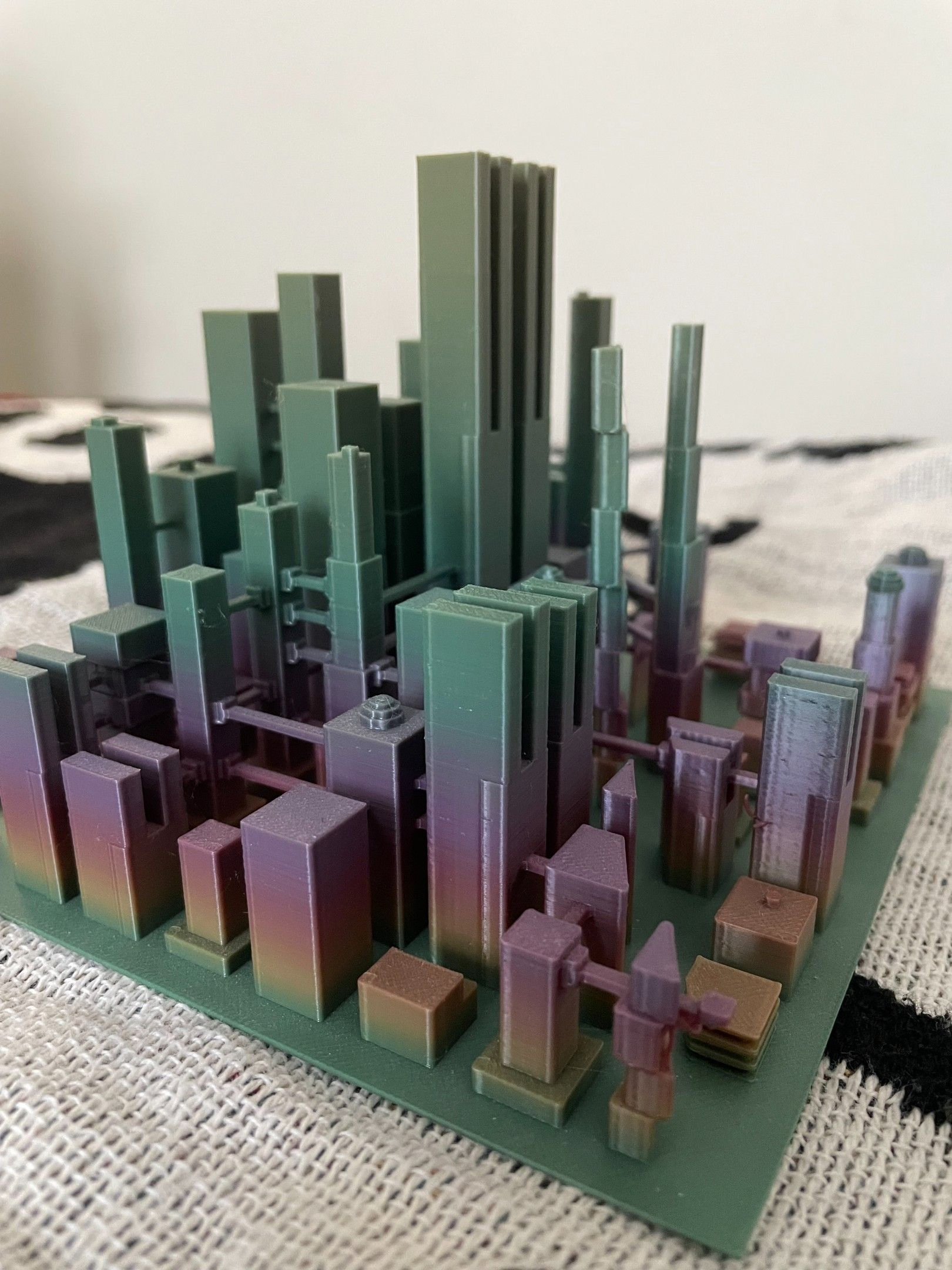
Goal: Build a 3D cityscape model without installing software locally
What he built:
[Coding Agent] → [Isolated Sandbox] → [rclone tool] → [Dropbox Files]
Key insight: An agent can work with cloud files as if they were local using a tool called rclone
What was missing:
- No permission controls
- No conversation-specific undo
- Ran outside the Dropbox interface
Experiment B — Rich's Desktop Interface Approach
Goal: Process expense receipts without manually copying files
What he built:
[Dropbox Desktop App] → [Graphical Interface] → [Agent] → [Dropbox Files]
Key insight: Connecting the agent directly to Dropbox's existing features (folder pickers, previews, revision history) made it trustworthy enough to use on real data
What was missing:
- No isolated workspace for running specialized software
- Depended on the desktop environment
Why Both Were Needed
Daniel's experiment          Rich's experiment
      +                    +
Isolated workspace          Permission controls
Specialized software        User interface
File access via rclone      Revision history links
      =                    =
         Complete System
Key concept: Neither experiment alone solved the problem. The combination created something production-ready.
Step 3: The Communication Protocol
How does the interface know what the agent is doing?
The system uses a structured messaging format called JSONL (JSON Lines), built around the Codex App Server API
Three-Level Organization
THREAD  (the whole conversation)
  └── TURN  (agent's response to one message)
        └── ITEMS  (individual actions, commands, file changes)
Real example — "Organize my photos":
- Thread starts → conversation begins
- Turn begins → agent receives your request
- Items appear:
- Agent proposes a plan: "Organize by date, location, or content?"
- You choose an option
- Agent requests folder access → you see Allow/Deny card
- Agent executes steps → checklist updates in real time
Why this matters: Every action is traceable back to the exact conversation and request that caused it.
Step 4: The Sandbox Architecture
What is the workspace?
Each conversation gets a fresh virtual machine (VM) — think of it as a temporary, isolated computer that:
- Spins up in tens of milliseconds
- Has Ubuntu Linux and pre-installed software
- Connects to your Dropbox files via rclone
- Is destroyed or reset after the conversation
How startup was made fast
Problem: Connecting to Dropbox took most of the startup time

Solution 1: Start preparing the workspace while you're still typing
Solution 2: Launch from a memory snapshot (like resuming a paused computer)
Solution 3: Store frequently updated tools on a separate virtual disk
            → Update tools without rebuilding the entire snapshot
Result: 75% of workspaces ready within 300 milliseconds
Step 5: The Permission and Security Model
The Critical Design Principle
Credentials and permission controls live OUTSIDE the agent's sandbox
Why this matters — visualized:
┌─────────────────────────────────┐
│         Agent Sandbox (VM)      │
│                                 │
│  Agent wants to read a file     │
│  Agent wants to call a service  │
│         ↓ request               │
└─────────────────────────────────┘
                 ↓
┌─────────────────────────────────┐
│      host_tools (OUTSIDE VM)    │
│                                 │
│  ✓ Is destination allowed?      │
│  ✓ Is operation permitted?      │
│  ✓ Has user granted access?     │
│         ↓ only if all pass      │
└─────────────────────────────────┘
                 ↓
         Request proceeds
         with credentials added
The agent cannot:
- Grant itself broader file access
- Access the internet directly
- Bypass permission checks by any method
This applies to everything: tool calls, software programs, rclone file operations, and AI model requests
Step 6: Supporting Multiple Agent Types
The Adapter Pattern
The team wanted flexibility to swap out the underlying AI agent without rebuilding the interface.
Different Agent (Pi) → [Adapter] → Codex Protocol → Dropbox Interface
Benefits:
- Change the agent engine without changing the user experience
- New agents automatically inherit permission controls
- One interface, many possible backends
Analogy: Like a universal power adapter — the device changes, but the outlet stays the same.
Step 7: Undo and Traceability
The Problem with Simple Undo
Imagine an agent makes 200 file changes across a shared folder. Other people also make changes. A simple "undo last period" would destroy everyone's work.
The Solution: Conversation Attribution
Every file version the agent creates
         ↓
Is tagged with the conversation ID that created it
         ↓
Undo only affects files from THAT conversation
         ↓
Unrelated changes by other people are preserved
Edge Case Handling
If someone edited a file after the agent changed it, and you undo the agent's work:
Instead of overwriting their edit:
→ Restored version saved as a separate renamed copy
→ Both versions preserved
Traceability Chain
File's version history
    → Shows which conversation changed it
        → Opens that conversation
            → Shows the exact request that caused the change
                → You decide: keep or undo
Step 8: Putting It All Together
The Complete System Flow
1. You type a request (workspace starts preparing)
2. You submit the message
3. Fresh VM launches from snapshot (~300ms)
4. VM connects to your Dropbox via rclone
5. Agent proposes a plan → you review and approve
6. Agent requests folder access → you Allow or Deny
7. host_tools enforces permissions on every action
8. Agent executes work, sending progress items to interface
9. You see real-time checklist of completed steps
10. All changes tagged with this conversation's ID
11. You review results → keep, refine, or undo
Summary: Key Concepts to Remember
| Concept | One-Line Summary |
|---|---|
| Sandbox | Isolated VM where agent runs software safely |
| rclone | Tool connecting the sandbox to cloud files |
| host_tools | Permission enforcer living outside the VM |
| JSONL/Codex Protocol | Structured messages linking actions to conversations |
| Thread/Turn/Item | Three-level hierarchy organizing agent activity |
| Conversation attribution | Tags file versions to enable precise undo |
| Adapter pattern | Lets different agents use the same interface |
| Snapshot startup | Pre-saved VM state enabling fast launch |
Self-Check Questions
- Why must credentials be stored outside the agent sandbox?
- What is the difference between a thread, a turn, and an item?
- How does the system handle undo when other people have edited files the agent changed?
- What problem did Daniel's experiment solve that Rich's did not, and vice versa?
- Why does the workspace start preparing before you submit your message?